Last Updated: June 2023
The Construction Manager – Project Costs Trade Area is where you will find the margin applied to the construction value of the project. These are the Construction Management fees. The other items like QLeave and Home Warranty insurances will be applied here too.
Step 1 Select the Job, select Estimates and select the estimate you are working on (ie. Primary Estimate).
Step 2 Select Master Cost Assembly.

Step 3 Select Construction Manager – Project Costs Trade Area.
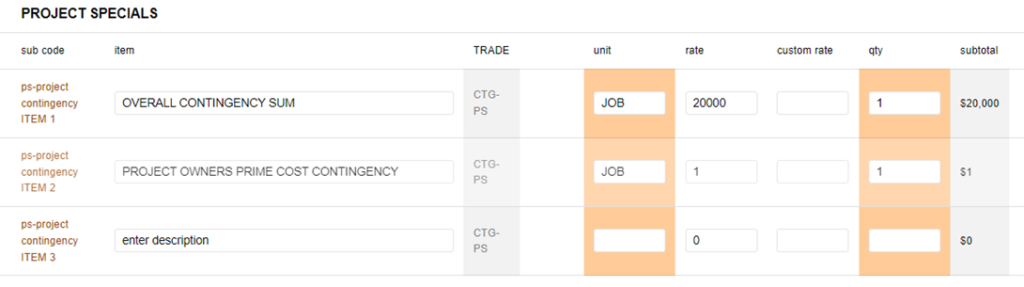
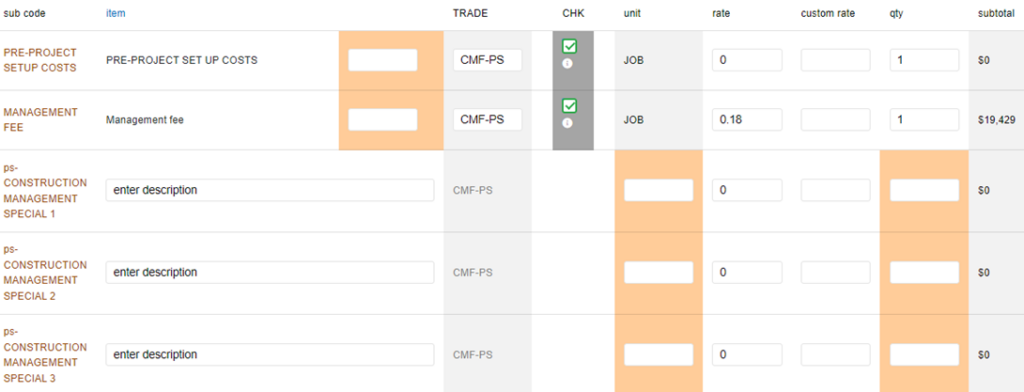
Step 4 The first section relates to the margin and construction management fees. These are based on a percentage of the Construction Costs.
The first line is Pre-Project Setup Costs. This is a legacy item from previous versions of the program and is to be ignored – refer to Contract Administration.
The second line is the Management fee, your fees or margin. Generally, this will be set at 18% (shown as a rate of 0.18), and can be changed to suit your needs.
The remaining lines are provided so that any other items relating to running of the business can be applied. For example, Site Supervision allowance can be added if you wish.
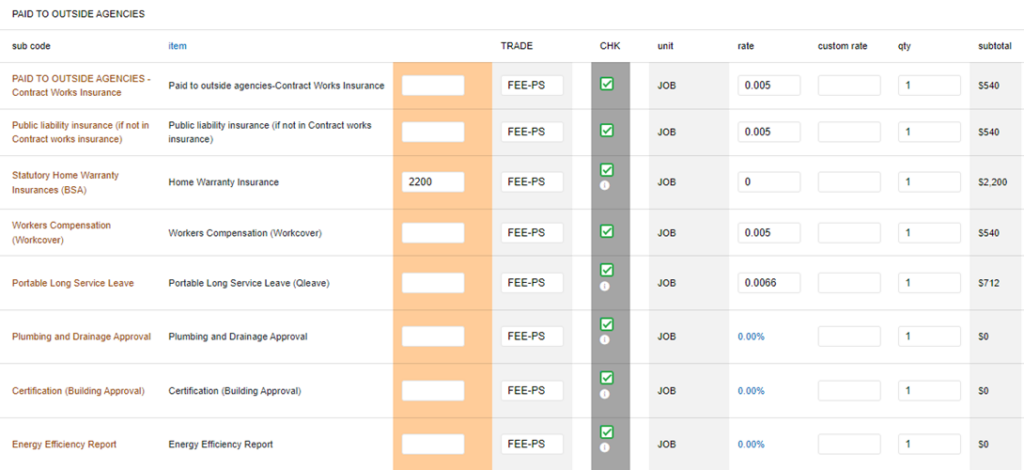
Step 5 The second section is based on any insurances and fees required for the project. The default rates are shown. The sum of the Management Fee and the insurances generally come to 20% plus QBCC insurance.
Still Need Help? Please contact the team at C2CPRO via email at admin@c2cpro.com.au or book a call to schedule a dedicated time with one of the team.