Last Updated: July 2023
To create a Payment Claim, the invoices for the trades and suppliers, and the builder need to be entered as a Bill to be added to the Claim schedule.
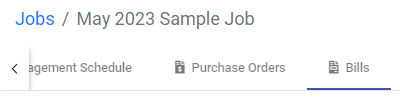
Step 1 Select the Job, and select Bills at the top ribbon.
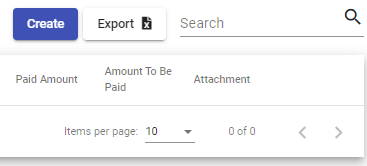
Step 2 Select Create.
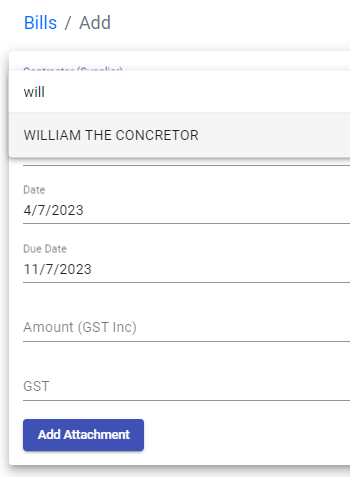
Step 3 Enter the details of the invoice, selecting the Contractor from the list of Accounts (see Accounts). The PDF of the invoice can also be included at Add Attachment.
The list of invoices, or Bills, will start to compile in a list, showing the invoices that are to be claimed, and those that have not been claimed yet.

Still Need Help? Please contact the team at C2CPRO via email at admin@c2cpro.com.au or book a call to schedule a dedicated time with one of the team.