Last Updated: May 2023
A Contact is an individual person associated to an Account. For Example, John Smith is the Contact for the Account John Smith Plumbing. Contacts are used in the following modules:
- Contracts
- Variations
- Project Management Schedule
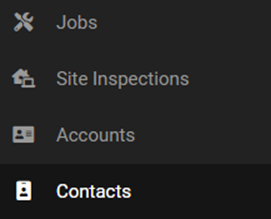
Step 1 To add a new Contact select Contact at the left hand menu.
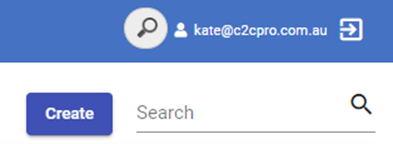
Step 2 Select Create.
Step 3 Enter relevant details.
Step 4 At Account, select the Account for the Contact that had been created beforehand. For example, the Contact is John Smith and the Account is John Smith Plumbing.

Alternate method
Alternatively, you can create a Contact when creating an Account.
Step 1 At Account Summary, select Create.

Step 2 Enter relevant details.
NB When filling out the Contact details, there is no need to add the Account as you are creating the Contact under the associated Account.
Still Need Help? Please contact the team at C2CPRO via email at admin@c2cpro.com.au or book a call to schedule a dedicated time with one of the team.