Last Updated: May 2023
Users are those who have their own login and access to C2CPRO.
You can add and remove Users as you need.
When creating a User, the most important detail is the Role of the User. The Role determines the accessibility of the User and restricts some access to modules in the program.
The most common Users that you would create are additional staff for your company, or for your project owners, customers, or clients.
Users (Staff)
Staff who will be Users may be the Construction Manager or a Supervisor. The main user will be the Construction Manager, and the Supervisor will have restricted access to Site Supervision, Accounts and Contacts.
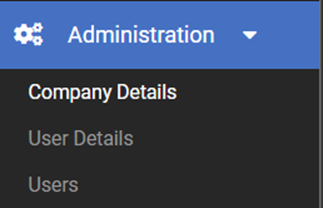
Step 1 Access Administration to the left menu and then select Company Details where you will see the summary of the Company Details. At the bottom you will see a list of the Users.
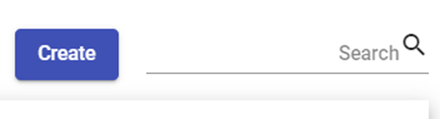
Step 2 To add a User, select Create.
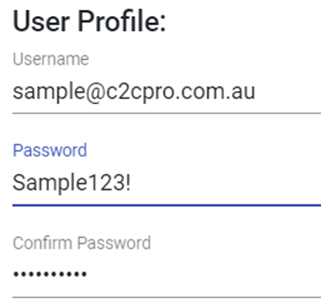
Step 3 Using the new user’s email address, create a User Name
Step 4 Create a password. This is temporary as the new user will be prompted to create a new password when they are emailed their login details.
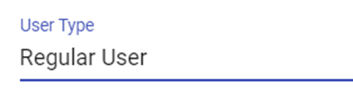
Step 5 Select the User Type, which will Be Regular User.
Step 6 Select the Role. The Role determines the access and level of information the User has to the program. For staff, it would be either Site Supervisor, Construction Manager Admin, or Construction Manager.
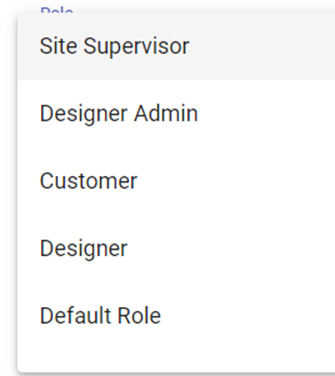
Step 7 Enter the remaining details as required, particularly the email address.
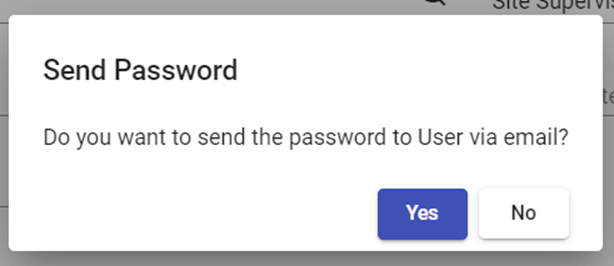
Step 8 You will be prompted to email the user the login details.
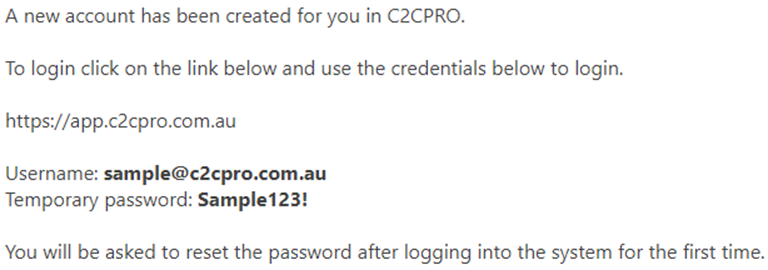
Step 9 This is the email that the new user will receive and they will be prompted to change their password.
Users (Clients)
You can set up a Client as a User so that they can access their information for their project through C2CPRO. The Client Role is quite limited, only being able to access the Documents, the Shopping List, selected Estimates for the use of the Xplorer and the Project Management Schedule. These items can be managed by Permissions.
Follow the steps for creating a Staff User, however at Role, select Customer.
Still Need Help? Please contact the team at C2CPRO via email at admin@c2cpro.com.au or book a call to schedule a dedicated time with one of the team.